Care Teams
How Aeglero's care teams group staff and gate patient visibility, the second axis of access control alongside Roles.
How Care Teams Work in Aeglero
A care team in Aeglero is a named group of staff members, for example, 'Detox Day Shift', 'Residential Clinical Team', or 'Medical Team'. Each team has a name, an optional description, an optional team lead, and a set of member users. Care teams are scoped to your facility, so each clinic builds its own. Their primary purpose isn't coordination chat or task tracking; it's access control. A care team defines whose patient records each member is allowed to see.
Building a Care Team
Open Manage Care Teams from your administration menu and click New Team. Give the team a name (must be unique within your facility), an optional short description, and optionally select a team lead. Then add members; these are just users from your facility's user list. There are no per-team job titles or roles to assign; each member keeps the system role they already have (Admin, Psychiatrist, Technician, or any custom role you've created). The Roles system controls *what* each user can do; the Care Team controls *whose data* they can do it on.
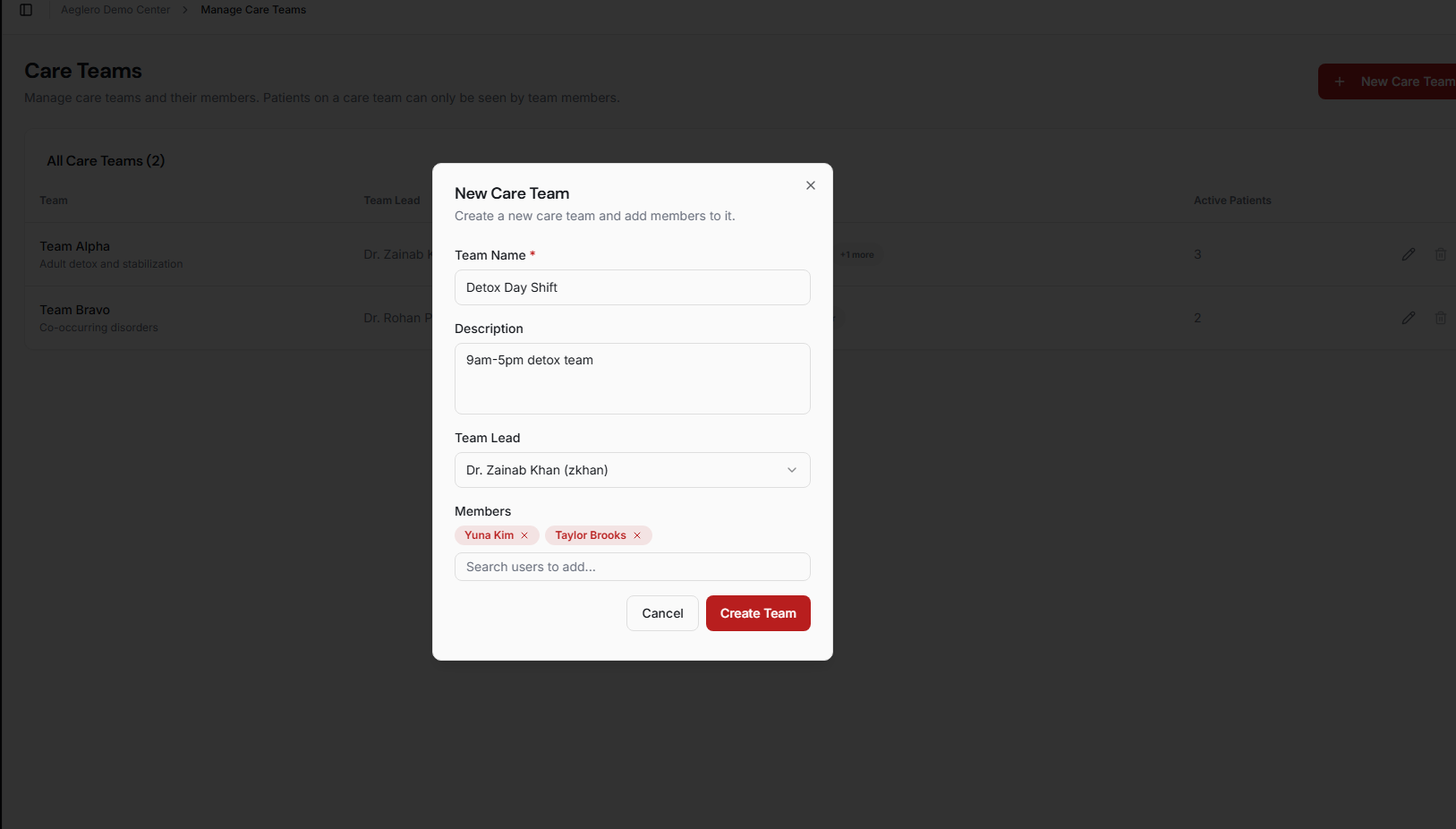
The New Team dialog. Add members from your user list — they keep whatever system role they already have.
Care Teams as Access Boundaries
This is the part that makes care teams worth setting up. Users with the 'View All Patients' permission see every patient in your facility regardless of team. Users without it (typically front-line clinicians, technicians, and shift staff) only see patients who are assigned to a care team that they're a member of. That means you can hire a counselor, give them a clinical role, add them to the Detox Team, and they immediately see only the detox patients without you having to manually assign each chart. Combined with the Roles system, this gives you two-axis access control: roles for what someone can do, care teams for whose data they can do it on.
The patient list as a Detox Team clinician sees it — scoped to just that team's patients. Other patients in the facility exist; they're invisible to this user.
Assigning Patients to a Care Team
Each patient is assigned to exactly one care team at a time. You can set or change the assignment from the patient's record. Common patterns are program-based teams (one care team per level of care: Detox, Stabilization, Residential), shift-based teams (Day Shift / Night Shift), or specialty-based teams (Medical Team for clients with co-occurring physical conditions). There's no requirement to use any of these patterns; care teams are just whatever organizational unit makes sense for how your facility actually staffs patients.
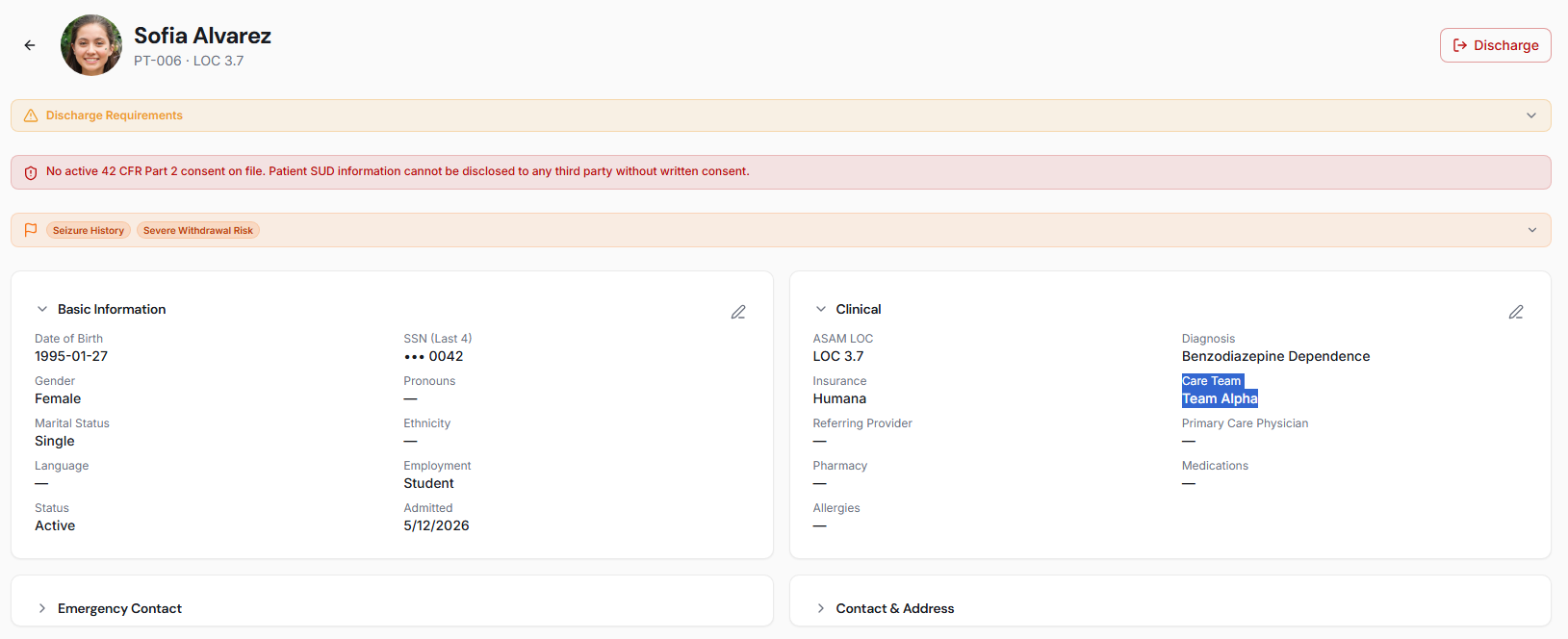
The Care Team field on a patient record. Reassigning to a different team is a single dropdown change.
Maintenance and Audit
Care team membership changes anytime: add and remove users from the team editor, and visibility for those users updates instantly. You can delete a custom care team only when no active patients are assigned to it; Aeglero blocks the deletion and tells you exactly how many patients you'd need to reassign first. Every change (team creation, name updates, lead changes, members added or removed, and deletion) is written to the audit log with the user who made the change, the timestamp, and a full diff (e.g., 'added: Jane Smith; removed: Bob Lee'). That gives you a complete history of who had access to which patients across time.